Chrome extension
Callout Stats for pump.fun
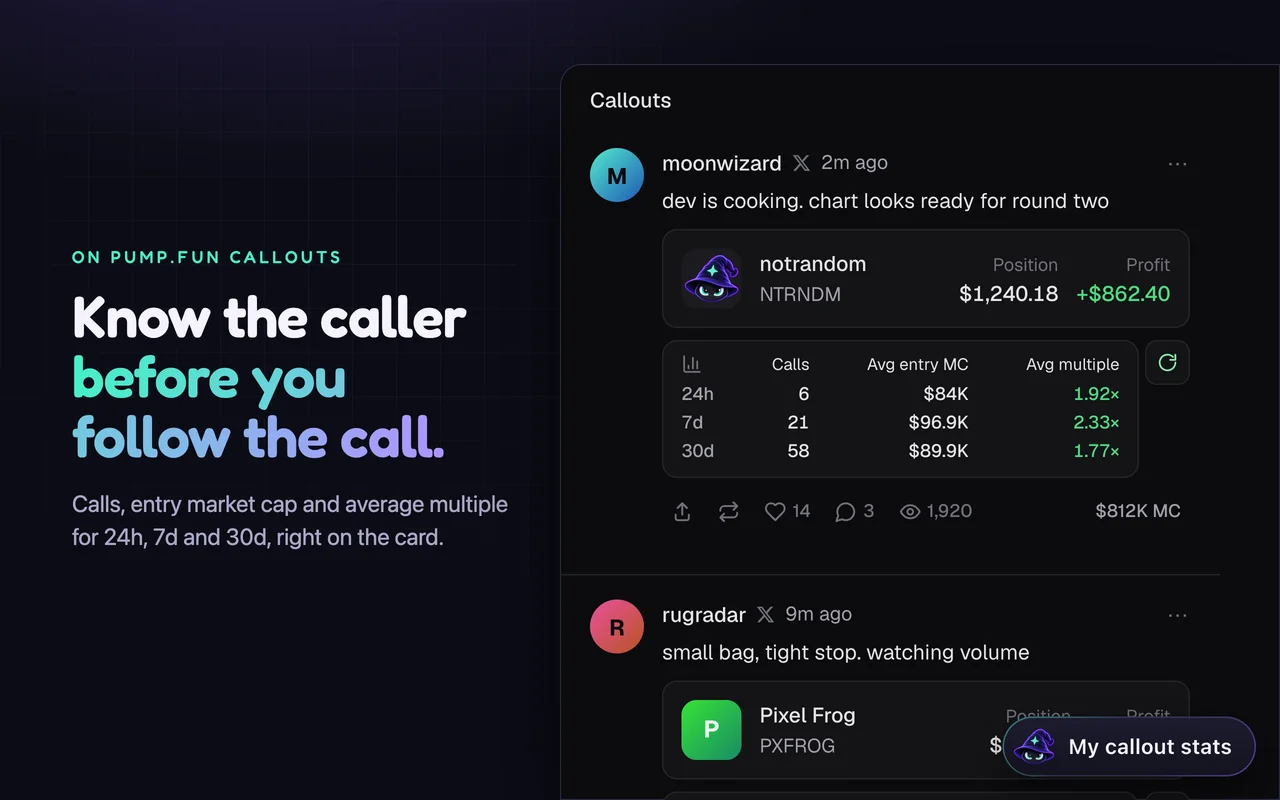
See how a caller's calls have done before you follow them. Every callout in your pump.fun feed shows the caller's record for the last 24 hours, 7 days and 30 days, right on the card.
Download on GitHubGoogle is reviewing it for the Chrome Web Store. Until it's listed, install it from GitHub with Chrome's Developer mode. Free, with no wallet and no sign-in.
What it does
-
Stats on every callout
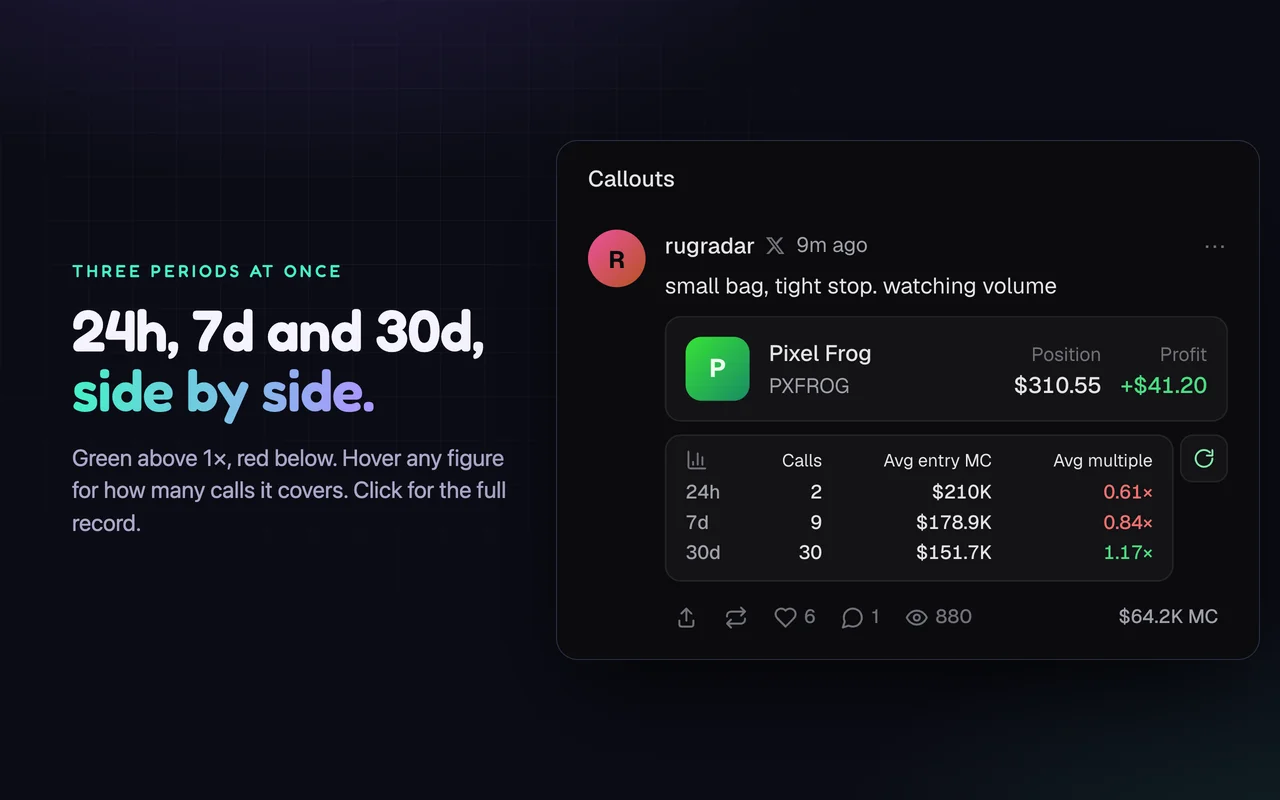
A Caller stats row under each caller's position: calls, average entry market cap and average multiple for 24h, 7d and 30d side by side, green above 1× and red below. Click it for the caller's full record.
-
Your own record
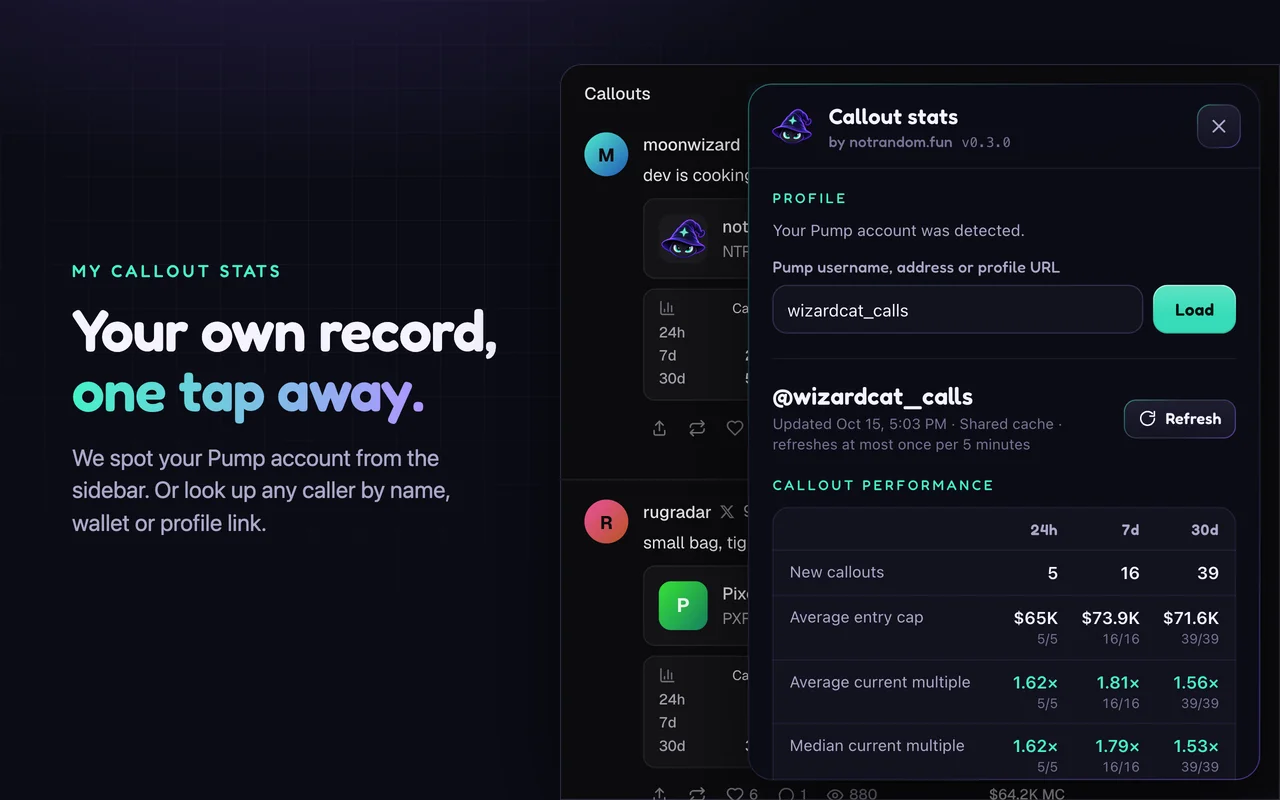
Open My callout stats from the corner of any pump.fun page. It spots your account from pump.fun's sidebar, or looks up any caller by username, wallet or profile link.
-
Every call, in full
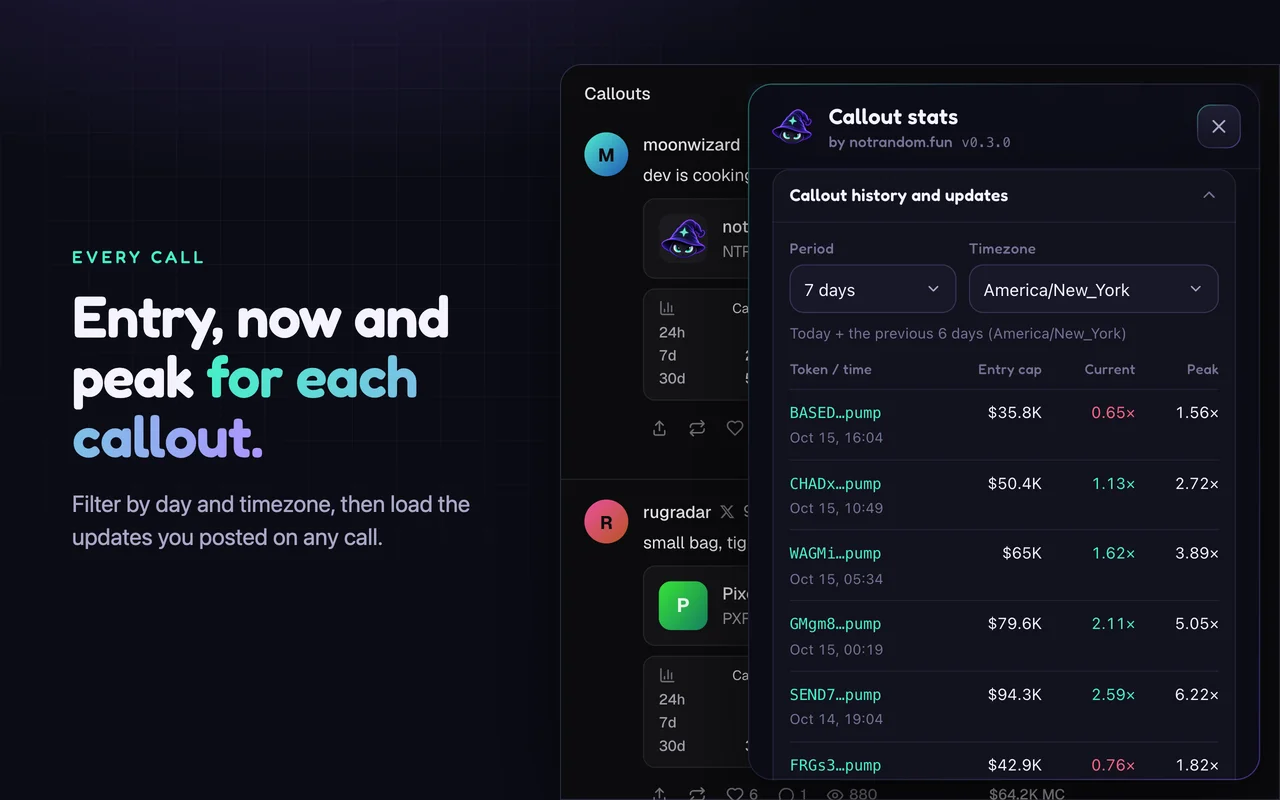
Each call with its entry, current and peak multiple, filtered by day and timezone. Your updates on a call are listed apart from your call count.
-
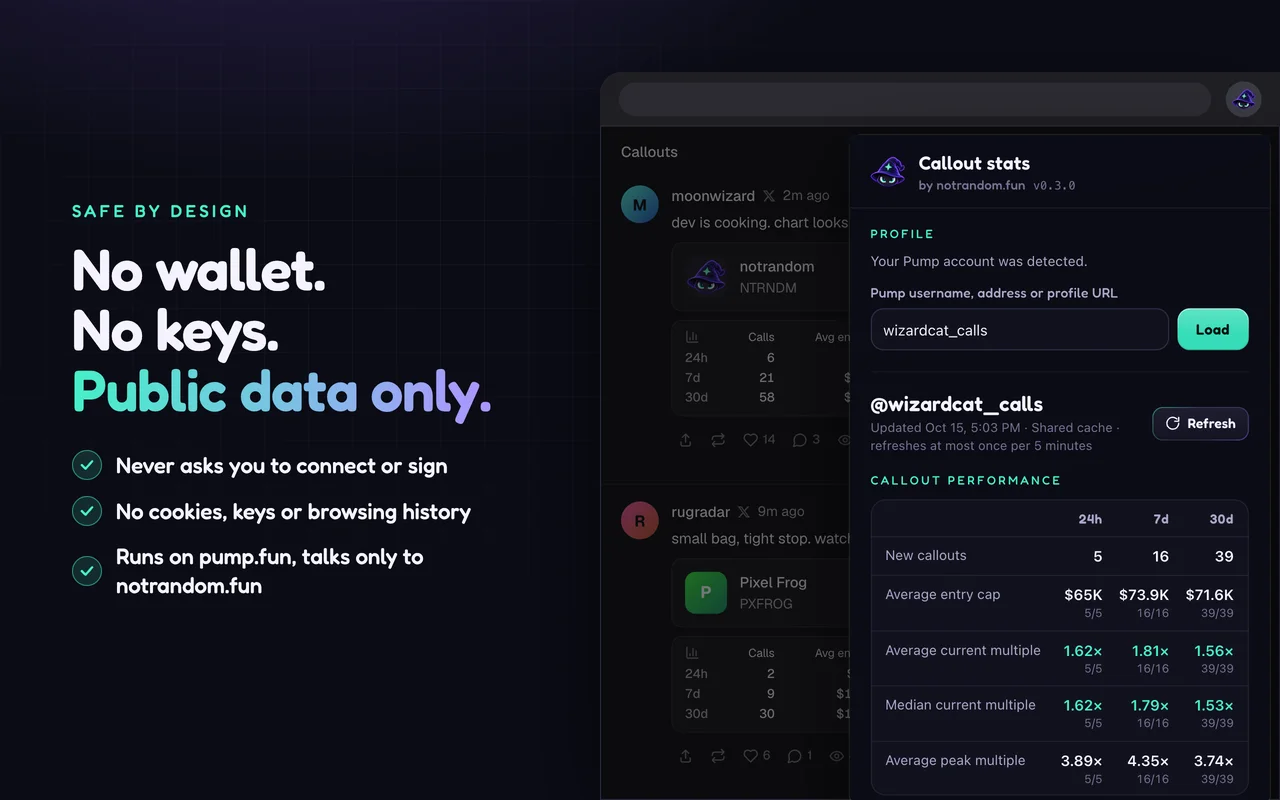
It never touches your wallet
Callout Stats never asks you to connect a wallet or sign anything, and it has no permission to read your cookies or browsing history. It runs only on pump.fun and talks only to notrandom.fun.
How the numbers work
Each spot token call counts once, losses included. Entry is the USD market cap at the call. Multiples are price moves since the call, as of the latest refresh. They aren't realized profit, and they don't predict pump.fun rewards. A call with a missing quote is left out of that average, and the panel shows how many calls each figure covers.
Privacy
This covers the Callout Stats for pump.fun extension and its shared cache at notrandom.fun/callout-stats. Made by notrandom.fun, and not affiliated with or endorsed by pump.fun.
- What it receives
- The public pump.fun profiles and callouts you see or look up: usernames, wallet addresses, and profile and callout IDs. Your browser's network address reaches our service, as with any website. Never your name, email, cookies, wallet, keys or payments.
- What it's for
- Looking up public callout stats, and request limits that keep the service up for everyone.
- Who sees it
- Our service, which runs on Cloudflare. It fetches the public data from pump.fun itself. Stats it has looked up are shared with everyone who uses the extension.
- How long we keep it
- We serve public profile and callout snapshots for up to 24 hours and clear expired ones as new lookups arrive. We keep at most 1,000 profiles and 1,000 update records, and never link them to who asked. Request limits count each network address for a minute, and we don't store it. We don't log requests.
- On your device
- The extension keeps your chosen profile, period and timezone, and the last 20 snapshots, in Chrome's storage for this extension. Remove the extension to delete them.
- Your controls
- There's no account. Turn the extension off or remove it at any time.
- Questions
- Ask us on X.
Your turn
Your coin belongs on the leaderboard.
Pick how your CA starts and ends, like HoLy…Shit. We find it, you pay in SOL, and you launch on our site with one wallet approval. Your coin joins the leaderboard as soon as it's live.
Want a wallet address instead? Grind a wallet